



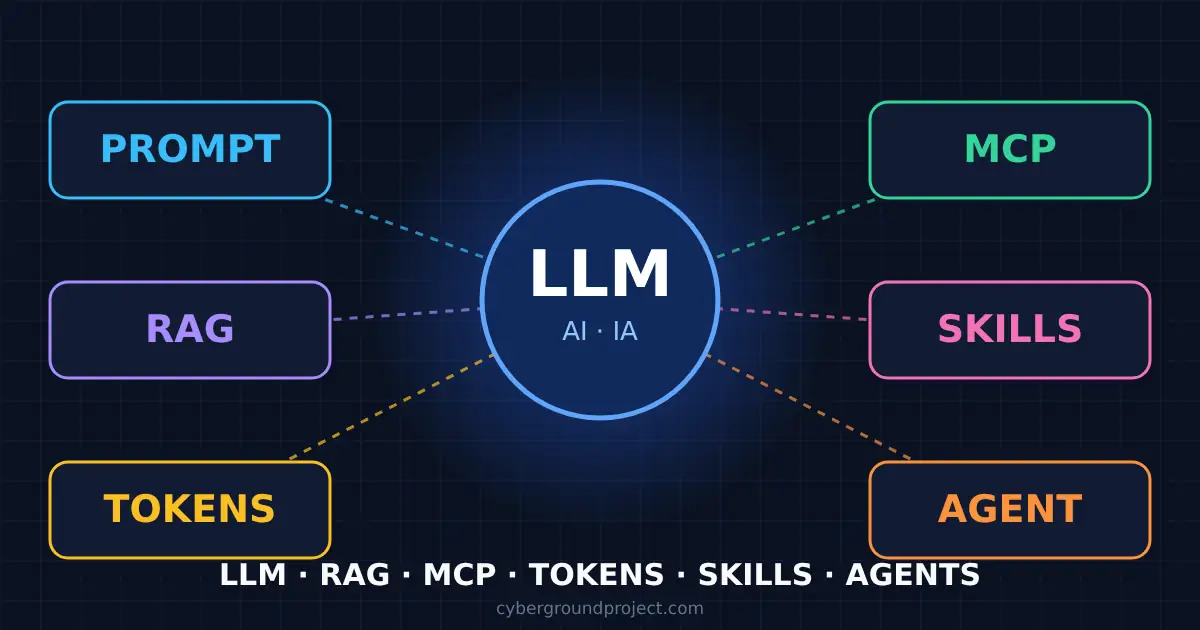
This AI glossary for civil engineers explains, in plain language and with real CAD/BIM examples, the terms everyone suddenly uses: AI, LLM, RAG, MCP, prompt, context, tokens, skills, artifacts and agentic AI. Autodesk, Bentley, Bluebeam and Trimble are all shipping AI features right now. If you want to judge them (or explain them to your manager), you need the vocabulary first.
I have been in civil design since 2008, and I use these tools every day for Civil 3D support, .NET plugins and documentation. Here is the version I wish someone had given me.
The whole AI glossary in one analogy
Picture a new junior designer on your team. They have read every textbook and forum post on the internet, but they have never seen your project, your client’s standards or your server.
- The LLM is that junior: very well read, fast, sometimes overconfident.
- The prompt is the request you give them.
- The context is everything on their desk while they work.
- RAG is handing them the right pages of the standards manual before they answer.
- MCP is giving them a login to Civil 3D, ProjectWise or Bluebeam so they can look things up and act.
- Skills are your firm’s procedure binder: “here is how we check a sheet set.”
- An artifact is the deliverable they hand back: a document, a table, a small tool.
- An agent is that junior working through a task list on their own while you review.
- Tokens are how their time is billed.
Keep that picture in mind. Every term below fits somewhere in it.
1. The foundations: AI, ML, GenAI and LLM
AI (artificial intelligence)
The umbrella term for systems that do tasks normally requiring human-like reasoning, learning or problem-solving. The Government of Canada’s AI terminology map splits it into four branches: machine learning, natural language processing, computer vision and generative AI.
Example: a Civil 3D design check that flags a pipe with less than 1.8 m of cover is not AI. It is a fixed rule you wrote. A tool that learns from thousands of classified point clouds to tell pavement from vegetation is AI.
ML (machine learning) and DL (deep learning)
Machine learning means the system learns patterns from data instead of following hand-written rules. Deep learning is machine learning with large neural networks: many layers of connected nodes that each learn more abstract features.
Example: automatic point cloud classification (ground, buildings, poles, wires) and pavement crack detection from road survey images are classic deep learning jobs. That second one is also computer vision (CV): AI that interprets images.
NLP (natural language processing)
The branch of AI that understands and produces human language: translation, summarizing, speech recognition, sentiment analysis.
Example: pulling every “the contractor shall” clause out of a 300-page specification, or auto-translating an English Autodesk article into French.
GenAI (generative AI)
AI that creates new content (text, code, images, audio, video) instead of only classifying existing data.
Example: “Write an AutoLISP routine that renumbers my structure labels,” “draft the meeting minutes from this transcript” or “propose three site layouts for this parcel.”
LLM (large language model)
A neural network (a “transformer”) trained on huge amounts of text to understand and generate language. It works by predicting the next piece of text, one token at a time. Claude, GPT, Gemini and Llama are LLMs. ChatGPT, Claude.ai and Microsoft Copilot are apps built on top of them.
Limits to remember: an LLM only knows what was in its training data up to a knowledge cutoff date. It has never seen your project. It can produce a confident, wrong answer.
Example: ask “What is the maximum superelevation in my client’s road design standard?” with nothing attached. The model will answer with a typical value from somewhere. It sounds right, but it is not your client’s value.
GPT, SLM and multimodal
- GPT = Generative Pre-trained Transformer, the architecture behind most LLMs (and the name of OpenAI’s models).
- SLM = small language model. Small enough to run on a workstation or server, which matters when project data cannot leave the office.
- Multimodal = the model reads more than text: images, PDFs, screenshots, sometimes audio. Paste a screenshot of a Civil 3D error dialog or a scanned as-built and ask what it shows.
2. Talking to the model: prompt, context, tokens
Prompt (and system prompt)
The prompt is your request. Prompt engineering is the craft of writing it so the model gets it right the first time. The system prompt is a set of standing instructions the app adds before your message (for example “answer in French, cite the source document, never invent a standard”).
Weak prompt: “Write a LISP to fix layers.”
Strong prompt: “Write an AutoLISP routine for Civil 3D 2025 that moves every object on layers starting with C-ROAD to C-ROAD-EXIST, skips locked layers, and prints how many objects were moved.”
The second one names the software version, the exact rule, the edge case and the expected output. That is 90% of prompt engineering.
Context and context window
The context is everything the model sees for one answer: the system prompt, the whole conversation so far, attached files and any tool results. The context window is the maximum size of that package, measured in tokens. Current models handle hundreds of thousands of tokens, some up to about a million.
Two practical consequences:
- The model has no memory between conversations unless the app adds one. Start a new chat and it has forgotten your project.
- In a very long conversation, early details get diluted. If the answer drifts, start a fresh chat with a clean summary and only the files you need.
Token
A token is the chunk of text a model reads and writes: a word, part of a word, a space or a punctuation mark. OpenAI’s rule of thumb for English: 1 token ≈ 4 characters ≈ ¾ of a word, so 100 tokens ≈ 75 words. French and Portuguese usually take a few more tokens for the same idea.
Example: “superelevation” is one word but likely several tokens. A 30-page specification of about 15,000 words is roughly 20,000 tokens.
Hallucination
A confident answer that is false. In our field the classic one is a Civil 3D .NET API method that does not exist, or a standard clause that was never written.
How to protect yourself: give the model the real document (see RAG below), ask it to quote its source, and always compile and test the code it writes. When I built my .NET plugin that adds pipe networks to profile views, the API reference stayed open next to the chat the whole time.
Training, fine-tuning and inference
- Training: building the model from massive data. Done once by the vendor, costs millions.
- Fine-tuning: extra training on a smaller, specialized dataset so the model adapts to a task while keeping its general knowledge.
- Inference: using the model to answer. Every chat message is inference, and that is what you pay for.
3. How AI tools are billed: tokens and cost
There are two ways you pay for AI:
- Subscriptions (ChatGPT, Claude, Copilot, vendor add-ons like Bluebeam Max): a flat monthly price with usage limits. Simple, predictable.
- API, pay per token: what developers and tools use behind the scenes. You pay per million tokens (often written MTok), with separate prices for input (what you send) and output (what the model writes).
As of late 2026, Anthropic’s Claude models range from about $1 to $10 per million input tokens and $5 to $50 per million output tokens, depending on the model, and output costs about five times input. Other vendors are in the same range. Prices change often, so always check the vendor’s pricing page.
A worked example
You ask a mid-range model ($3 input / $15 output per MTok) to summarize that 30-page specification:
- Input: 20,000 tokens × $3 ÷ 1,000,000 = $0.06
- Output: a 1,000-word summary ≈ 1,300 tokens × $15 ÷ 1,000,000 = $0.02
- Total: about 8 cents.
Why the bill still grows
- The context is re-sent every turn. Ask 20 follow-up questions with the spec attached and the model re-reads it 20 times: 400,000 input tokens, about $1.20 instead of $0.06.
- Agents loop. An agent that plans, calls a tool, reads the result and tries again can use dozens of model calls for one task.
- Tool definitions and tool results count as input. Connecting ten MCP servers adds their descriptions to every request.
- Discounts exist: prompt caching (re-used context billed much cheaper) and batch processing (slower, about half price).
Tip: one topic per chat, attach only the relevant pages, and ask for short answers when you don’t need long ones.
4. Giving the model your knowledge: RAG, embeddings, vector databases
RAG (retrieval-augmented generation)
RAG turns a closed-book exam into an open-book exam. Before the model answers, a search step finds the most relevant passages in your documents and inserts them into the prompt. The model then answers from those passages, ideally with a citation.
Example: your firm loads its CAD standards manual, the client’s road design guide and a few hundred Autodesk support articles into a knowledge base. A designer asks “What layer do existing culverts go on for this client?” The system finds page 47 of the CAD manual, puts it in the context, and the answer quotes that page. Microsoft Copilot Studio, Claude Projects and ChatGPT’s custom GPTs all do some form of this.
Best for: reading and explaining documents that don’t change often (manuals, standards, specs, procedures).
Embeddings and vector databases
How does the search step find “the right page”? Each chunk of text is converted into a list of numbers (an embedding) that represents its meaning. A vector database stores those lists and finds the closest ones to your question. That is why a search for “superelevation” also finds a paragraph that says “dévers” or “cross-slope transition.”
RAG or fine-tuning?
For engineering firms, RAG is almost always the right first step. It is cheaper, updates as soon as you replace a document, and can show its source. Fine-tuning is for teaching a style or a narrow task, not for loading facts that change.
5. Connecting the model to your software: API, tool use, MCP
API and tool use
An API (application programming interface) is the door a program opens so other programs can talk to it. The Civil 3D .NET API, the Autodesk Platform Services (APS) APIs and the ProjectWise API are examples. Tool use (or function calling) is when the model decides to call one of those functions instead of only writing text, for example “get the list of alignments in this drawing.”
MCP (Model Context Protocol)
MCP is an open standard introduced by Anthropic in November 2024 to connect AI assistants to the systems where data and tools live. Before MCP, every AI app needed a custom connector for every piece of software: N apps × M tools. MCP replaces that with one plug. Think of it as USB-C for AI.
- An MCP server exposes the tools of one product (for example “list sheets,” “create markup,” “run analysis”).
- An MCP client is the AI app that connects to it: Claude, GitHub Copilot, VS Code, and more and more vendor assistants.
Example from this blog: an MCP plugin connects this WordPress site to an AI assistant. I can ask it to read my published posts, check SEO fields or prepare a draft article, and it works through the site’s own tools. I set it to drafts only, so nothing goes live until I review it.
Example in our software: Bentley’s MCP servers for MicroStation and STAAD.Pro let an assistant such as Claude or GitHub Copilot query, create and modify engineering data through the application’s Python API. Autodesk also offers MCP servers in its Design and Make Marketplace (details in section 9).
RAG vs MCP in one line: RAG reads your documents; MCP talks to and acts in your live software.
6. Packaging know-how and results: skills and artifacts
Skills (Agent Skills)
A skill is a folder containing a SKILL.md file (name, description and step-by-step instructions), plus optional scripts, reference documents and templates. The agent loads only the short description at first, and reads the full instructions when a task matches. The format was created by Anthropic and released as an open standard, now supported by many AI tools.
If MCP gives the model hands (access to tools), a skill gives it your firm’s procedure: how to use those hands the way your team does.
Example: a “sheet set QA” skill for road projects:
sheet-set-qa/
├── SKILL.md          # when to use it + the checking procedure
├── references/
│   └── cad-standard.md   # layer names, title block fields, text heights
└── scripts/
    └── check_layers.py   # compares a DWG layer export to the standard

--- SKILL.md (excerpt) ---
name: sheet-set-qa
description: Check a road project sheet set against the firm's CAD standard
             before submission.
1. Export the layer list and title block attributes of every sheet.
2. Run scripts/check_layers.py and list non-standard layers.
3. Check that every sheet has the same revision as the transmittal.
4. Produce a table: sheet, issue, suggested fix. Do not modify any file.
Same idea as a good Civil 3D template: you write the standard once and every project benefits. (On templates, see how to structure your Civil 3D profile and band styles.)
Artifacts
An artifact is a standalone deliverable the assistant produces next to the conversation instead of inside it: a document, a spreadsheet, a diagram, a chart or even a small interactive web page you can reuse and share. Claude calls them artifacts; ChatGPT has a similar “canvas.”
Example: “Build me a small page where I enter design speed and radius and it gives the superelevation from this table.” You get a working mini-calculator, not a wall of text. Always check the numbers against the source table before using it on a project.
7. Agents and agentic AI
An AI agent perceives its environment, makes decisions and takes actions toward a goal with little human intervention. In practice, it is an LLM running in a loop: plan → act (call a tool) → observe the result → adjust → repeat until the task is done. Agentic AI is the general term for systems built this way.
Assistant vs agent: an assistant (or “copilot”) answers your question and you do the work. An agent does the multi-step work and reports back.
Example: “Check the 60 sheets of this project. Make sure each title block revision matches the transmittal, list the mismatches, fix them in a copy of the files and give me a report.” The agent lists the sheets (MCP), reads each title block (MCP), compares with the transmittal (reasoning), edits the copies (MCP), follows your QA procedure (skill) and writes the report (artifact). You review before anything is issued.
The catch: an agent that makes a mistake makes it at scale. Good practice: work on copies or drafts, limit what the agent is allowed to do, keep a human approval step before anything leaves the office, and keep logs. This is also why agent tasks use far more tokens than a single question.
You will also see multi-agent systems (several specialized agents, coordinated by an orchestrator) in vendor announcements. Same loop, more workers.
8. Other AI acronyms you will run into
| Acronym | Stands for | In one line |
|---|---|---|
| AI | Artificial intelligence | The whole field |
| ML / DL | Machine learning / deep learning | Learning patterns from data / with large neural networks |
| NLP | Natural language processing | Understanding and producing human language |
| CV | Computer vision | Interpreting images and video |
| GenAI | Generative AI | Creating new text, code, images |
| LLM / SLM | Large / small language model | The text “brain”; small ones run locally |
| GPT | Generative pre-trained transformer | The architecture behind most LLMs |
| RAG | Retrieval-augmented generation | Answer from your documents |
| MCP | Model Context Protocol | Standard plug between AI and software |
| API | Application programming interface | The door a program opens to other programs |
| MTok | Million tokens | The billing unit of AI APIs |
| AGI | Artificial general intelligence | Hypothetical AI as capable as a human across all tasks; not here yet |
9. AI tools for Autodesk, Bentley, Bluebeam and Trimble users
Here is where each vendor stands as of November 2026. Names, features and availability change fast, so check the linked pages before you plan around them.
Autodesk
- Autodesk Assistant: first added to Civil 3D in the 2024.1 update for help content, then enhanced with Autodesk AI in Civil 3D 2025 to answer questions on Civil 3D features. Autodesk now lists it in AutoCAD, Civil 3D, Revit, Inventor, Vault, Fusion and Forma, with capabilities that vary by product.
- Agentic direction: Autodesk presented a next-generation, more agentic Assistant at AU 2026, and has shown a vision of checking civil drawings against standards for safety, accessibility and drainage.
- MCP servers: some Autodesk MCP servers are available in the Design and Make Marketplace for teams building their own workflows, and Autodesk Platform Services (APS) is repositioning itself as an AI-native developer platform built around APIs and MCP.
Bentley
- Bentley Copilot: a context-aware assistant that guides users through workflows, surfaces documents and can modify models. It is in technology preview in OpenRoads Designer 2026 (for example “How do I create superelevation?”).
- AI applications: OpenSite+ (generative site design), SYNCHRO+ (AI-powered 4D construction) and an AI agent for automatic drawing annotation in OpenRoads and OpenRail Designer.
- Bentley MCP servers: MicroStation and STAAD.Pro first, compatible with Claude, GitHub Copilot and Google Gemini, with more products planned. Bentley Copilot itself uses the same MCP server, so you can use Bentley’s assistant or bring your own.
Bluebeam
- Bluebeam Max: a premium Revu subscription launched globally in May 2026 with AI review and drawing comparison features (Smart Overlay, Smart Review, AI-REVIEW, AI-MATCH).
- Revu + Claude through MCP: natural-language prompts to search drawings and turn markup data into insights. MCP support has since been extended to GitHub Copilot CLI and AnythingLLM.
Trimble
- Agentic AI platform and Trimble Agent Studio: announced at Dimensions 2025 so Trimble, partners and customers can build and deploy their own agents across Trimble construction software, rolling out through Trimble Labs in 2026.
- Product agents: Trimble Connect Help Assistant, Viewpoint Finance Assistant, Accubid Assistant, and specialized agents that validate specifications, detect exceptions and trigger follow-up actions.
The pattern to notice
Every major AEC vendor is converging on the same building blocks: an in-app assistant, agents for multi-step work, and MCP so you can bring the AI your firm already approved. That is good news for interoperability, the same way IFC and LandXML let our models travel between platforms.
Key takeaways
- LLM = the brain. Smart, but it doesn’t know your project and can be confidently wrong.
- Prompt + context = what you ask and everything it sees. Be specific, attach only what matters.
- Tokens = the billing unit. Long chats and agents cost more because context is re-sent.
- RAG = answers from your documents. MCP = actions in your software.
- Skills = your procedures, packaged. Artifacts = reusable deliverables.
- Agents = multi-step work on their own. Keep a human approval step.
Which term would you like me to dig into with a full Civil 3D example? Tell me in the comments or on LinkedIn.
Sources
- Government of Canada – Artificial intelligence terminology concept map
- MIT Media Lab – AI glossary
- OpenAI Help – What are tokens and how to count them
- CloudZero – Claude API pricing
- Anthropic – Introducing the Model Context Protocol
- Agent Skills – open standard
- Autodesk – Autodesk Assistant
- Autodesk AEC blog – Agentic AI developments for Autodesk Assistant in Civil 3D
- Autodesk Platform Services – Everything you missed at AU 2026
- Bentley – Bentley MCP servers
- Bentley – OpenRoads Designer 2026
- Bentley – Bentley Systems advances infrastructure AI
- Bluebeam – Bluebeam Max launches globally
- Bluebeam – New Bluebeam Max capabilities and mbue acquisition
- Trimble – AI strategy at Dimensions 2025
- Trimble – Hardworking AI for hardworking people